
Please Note: For information on how to do this in the latest DivX Player please go here.
Just click on the 'create playlist' button. See below:
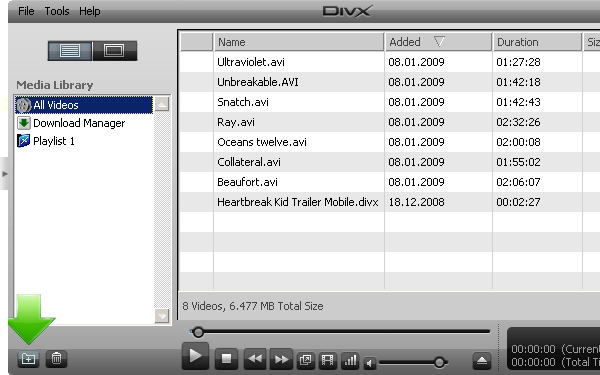
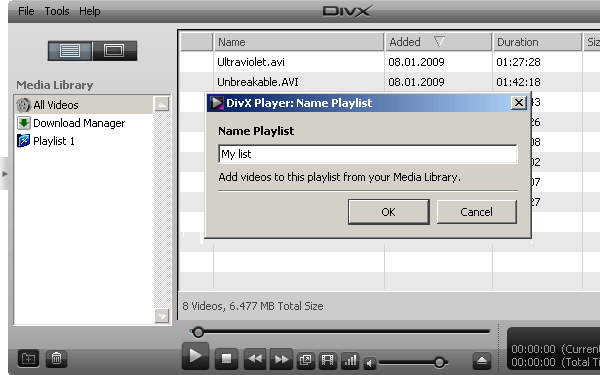
The create playlist window will appear. Just give your playlist a name.
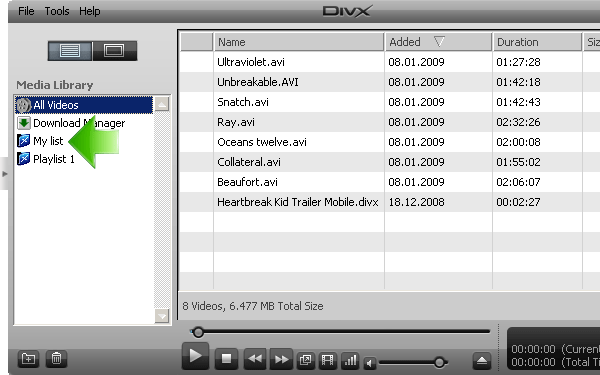
You will see your newly created playlist in the Media Library.
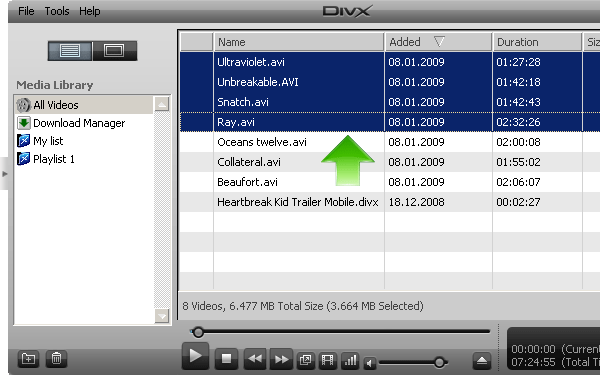
Now you can select your videos and drag and drop them to your playlist.
You will now see your videos in your playlist.
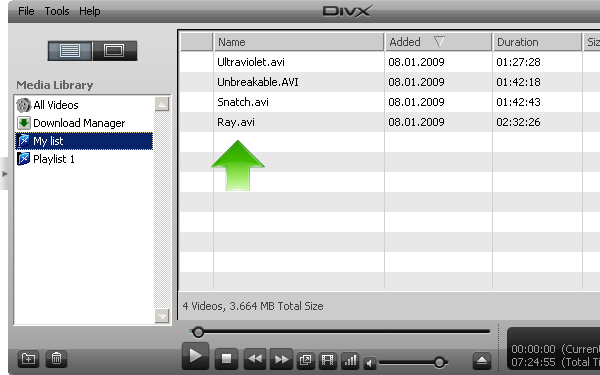
To play movies in your playlist just select the first movie you wish to play and double click or click the play icon.
You also have the following options when you right-click on your playlist:
- Play playlist
- Rename playlist
- Remove playlist
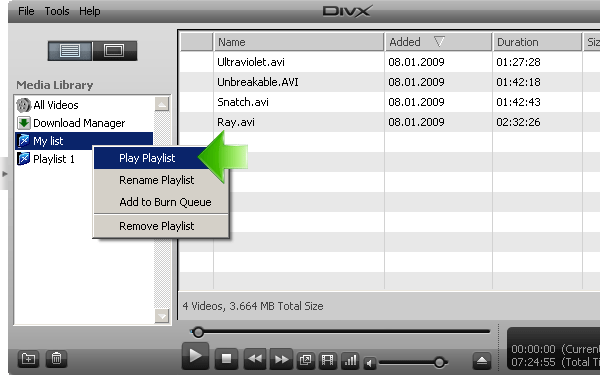
When you select 'play playlist' you will be able to play all your videos one after the other.
You can also delete the playlist by selecting it and then clicking on the trash can.
Comments
0 comments
Please sign in to leave a comment.