
Assuming that you are running Windows XP, follow the procedure below:
Go to "Folder Options" in the "Tools" menu of an Explorer window (*not* Internet Explorer, the windows file browser).
Click on the "File Types" tab and wait for the list to populate.

Find the AVI extension in the list (if you click on the Extensions header, it will sort the extensions alphabetically).
You should have two buttons in the "Details for 'AVI' extension" pane: one will be "Change..." and the other will be either "Advanced" or "Restore".
If you need the "Advanced" button. If you have the "Restore" button, hit it and "Restore" will change to "Advanced". (this step is the trick to all this madness...)
Now hit the "Advanced" button.
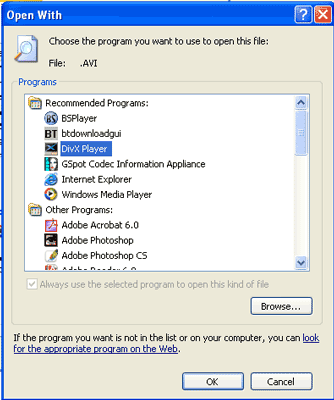
You should now be in the "Edit File Type" window. Click "Change Icon..." and go find the DivX player and then select your icon.
Now in the "Actions:" pane, you need to set the behavior, so click on "Edit" and change the default action.
(If no action exists I assume that you will have to create a "New" one instead)
Rename the "Action:" to something like: Open With DivX Player.
Then hit the "Browse..." button and select the DivX player.
That should do it!
Comments
0 comments
Please sign in to leave a comment.