
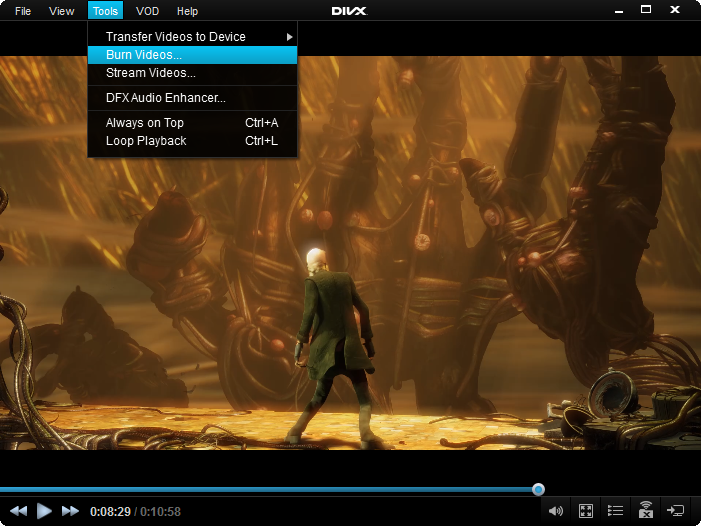
The DivX Player still allows users to burn their files for playback on DivX Certified devices through the Tools Menu.
Select the menu item Tools > Burn Videos... which will launch the Files screen.
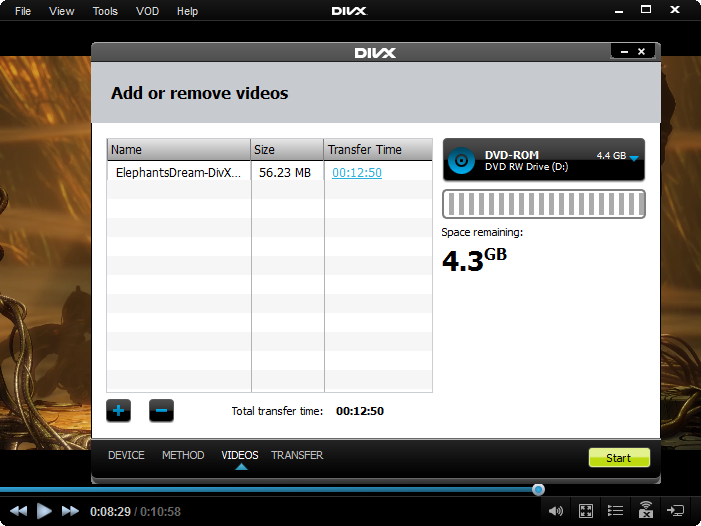
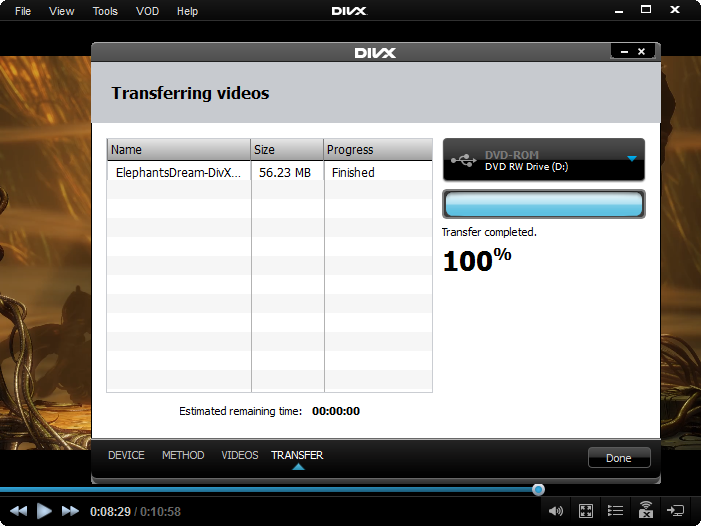
Here you can add files to the list, insert a disc in your burner and click start. This will burn your files.

Comments
20 comments
A DVD lejátszón van USB eszköz lejátszására lehetőség. A film amit letöltöttem mp4-be sikerült. Hogy konvertálhatom AVI-ba, hogy lejátszható legyen?
How to find the Divx Vod activation file on YOUR DIVX CertifiedDevice
Man.....my....new...have televisi on.....that....have.....you....contek.....and have roll film.....so......i.....do it to you......oke
Eu consigo espelhar meu cel na TV mesmo que ela não tenha wi fi?
The videos is not show on my DVD player... How can I do it
Aryan
2UGUERPDHU
2ZXRYTYYSR
2I
2JIUAG7UDU
DRVURR8K
DRVURR8K
Register my samsung tv
74ACXVW369
47LB670
Paula Cristina
Como faço
7g78pn2zed ثبت لطفا
من ثبت کردم فایل ارسالی باز کردم ولی فیلم هایید رو فلش داشتم و نشو داده نمیشد .بازم نشون نمیده چ کنم
The burn feature was removed from the new version.
Please sign in to leave a comment.